




How to file a claim for FTX liquidation? Please keep this official guide safe

 A total of 5 steps are involved, and eligible customers and non-customer creditors can log in to the website to submit relevant information for claims.
From丨PWC
Compiled by丨Jordan, PANews
After a long wait, the joint official liquidators (JOL) of FTX, PwC, have updated the liquidation claims process and announced the launch of the FTX Digital Markets (the main regulatory and licensing entity for FTX International) claims portal.
According to the disclosed information, FTX will notify eligible customers and non-customer creditors to submit proof of claims and other information through the FTX Digital Markets claims portal. Only those customers and non-customer creditors who submit electronic claims before the specified deadline of May 15, 2024, and whose relevant information is acknowledged, will be eligible for distribution of liquidation claim funds in the Bahamas proceedings.
FTX Liquidation Claims Timeline
Before exploring how to apply for FTX liquidation claims, let's briefly outline the timeline of events------
- On November 10, 2022, the Bahamas Securities Commission filed a liquidation petition against FTX Digital Markets Ltd. with the Supreme Court of the Bahamas and suspended its license to operate as a digital asset business. On the same day, the liquidation process for FTX Digital officially commenced.
- On November 14, 2022, Kevin Cambridge from PwC Bahamas and Peter Greaves from PwC Hong Kong were also appointed as joint provisional liquidators by the Supreme Court of the Bahamas.
- On February 15, 2023, the U.S. Bankruptcy Court for Delaware recognized the Bahamian provisional liquidation main proceedings.
- On November 10, 2023, after hearing evidence submitted by representatives of the Bahamas Securities Commission, the joint provisional liquidators, and the legal representatives of FTX Trading Ltd., the Supreme Court of the Bahamas appointed the joint provisional liquidators as joint official liquidators ("JOL") and ordered the liquidation of FTX in accordance with the provisions applicable to the liquidation of international business companies under the amended Companies Act 1992 and the Companies (Winding Up Amendment) Act 2011.
- On March 3, 2024, the FTX claims portal officially went live, and eligible customers and non-customer creditors must submit proof of claims by May 15, 2024.
FTX Liquidation Claims Guide
As the joint official liquidators of FTX, PwC has now officially launched the FTX Digital Markets claims portal, where eligible customers and non-customer creditors can log in to submit relevant information for claims, which involves a total of 5 steps, as follows:
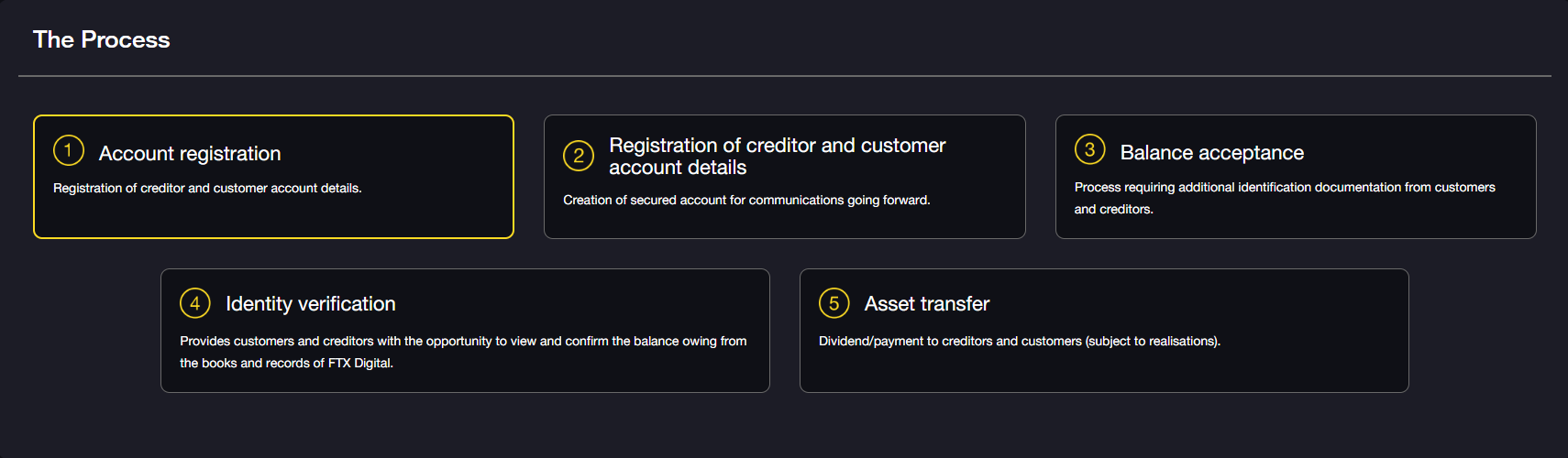
1. Account Registration - Create a claims portal account
To submit a claim, you first need to create an account on the FTX claims portal. After creating an account, you will be able to link your FTX account, view your account balance, and submit a liquidation claim. (Note: Users from Australia, Europe, Turkey, or Japan may be processed according to one of the separate processes.)
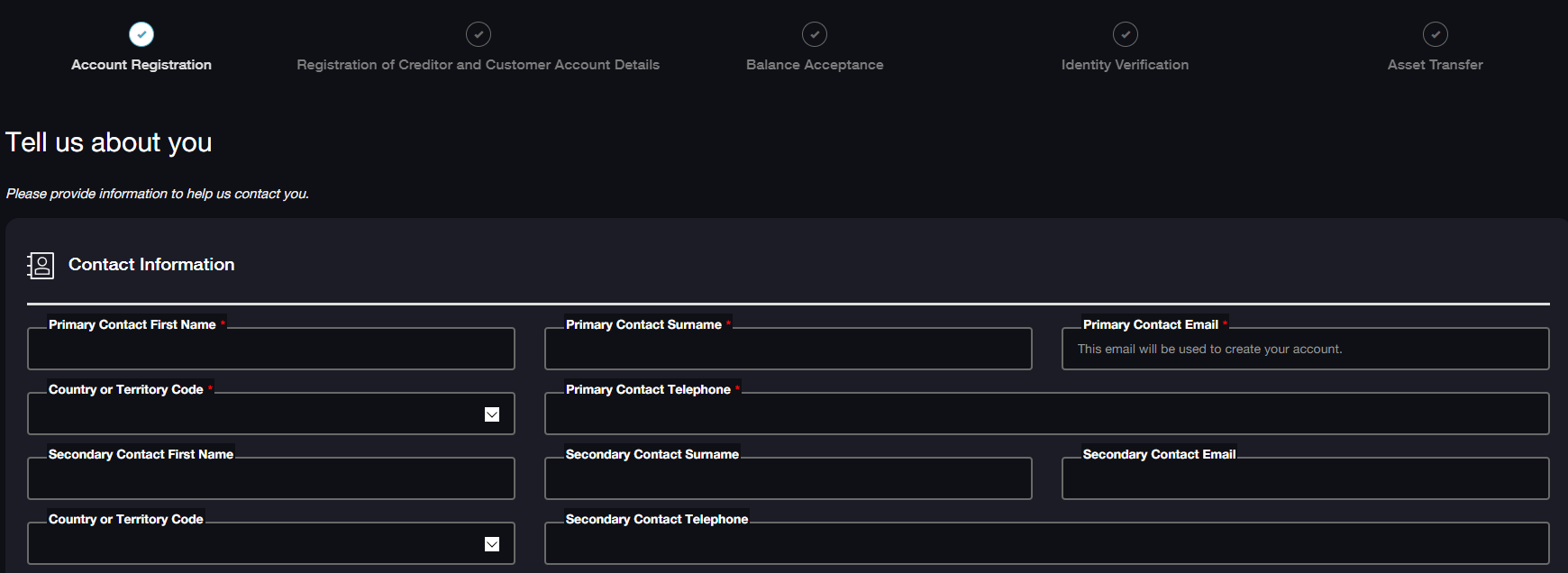
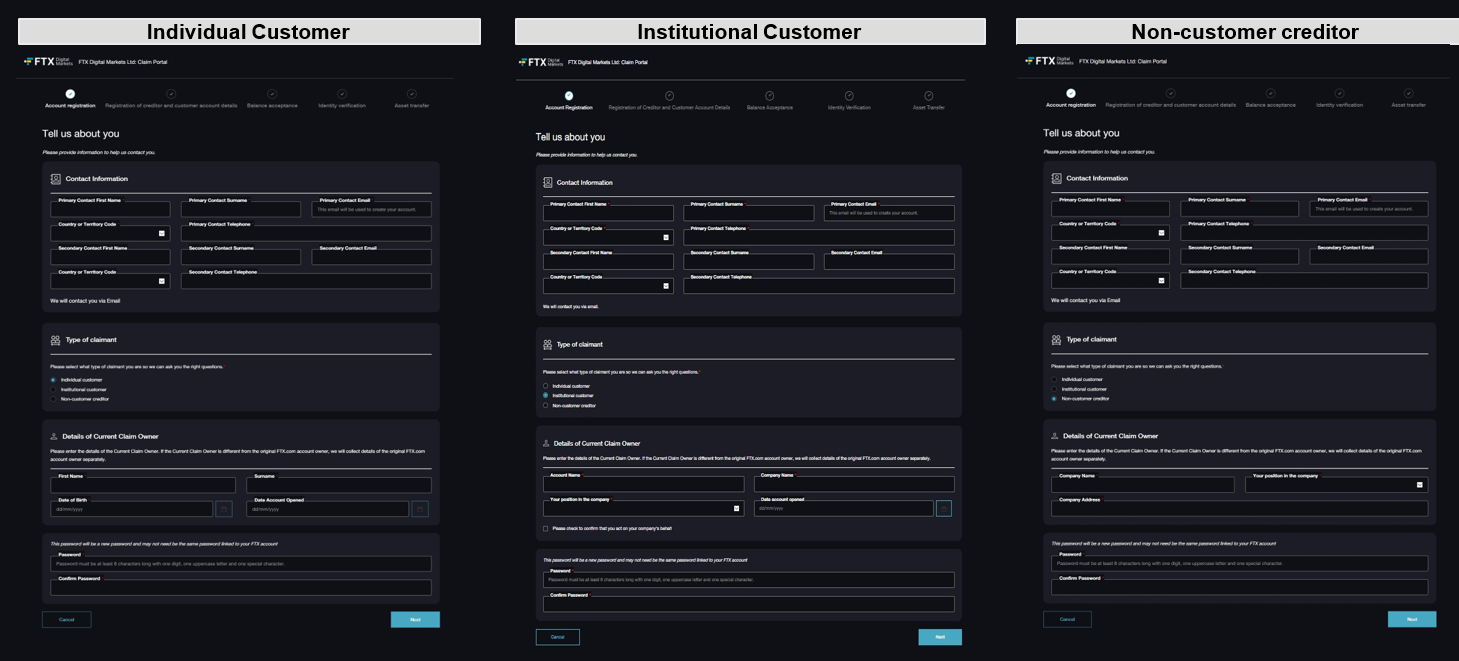
According to FTX's requirements, creating an account requires providing contact information and details (including name, phone number, email address, date of birth, and account opening date, as shown in the image above), as well as the type of claimant (including individual customers, institutional customers, and non-customer creditors, as shown below).

It is important to note that individual customers refer to customers claiming against "FTX.com" or "FTX International" in their personal capacity; institutional customers refer to customers claiming against "FTX.com" or "FTX International" in a corporate capacity; non-customer creditors refer to trading creditors who provided goods or services to FTX Digital (a small number of employees may fall into this category). The registration information for these three types is different, as shown in the image below:
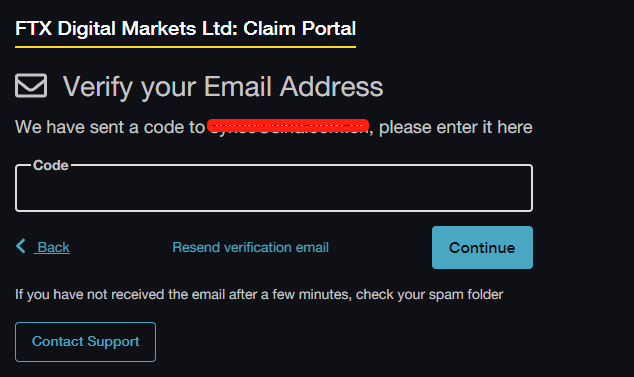
After successfully completing all the above information, click the "Next" button, and you will see a pop-up window indicating that an email with a "one-time PIN" has been sent, which you need to enter on the next page (as shown below). If you do not receive the email, please check your spam folder, or you can click "Resend verification email."
2. Register Creditor and Customer Account Details
To submit a claim, you also need to fill in additional details to register yourself as a creditor and link your FTX account to the newly created FTX Digital claims portal account. Only after the FTX account is linked to the FTX Digital claims portal account can you submit a claim for the FTX account and view the relevant account balance. You can then choose to accept the balance figure or dispute it and provide further details to substantiate the claim amount.
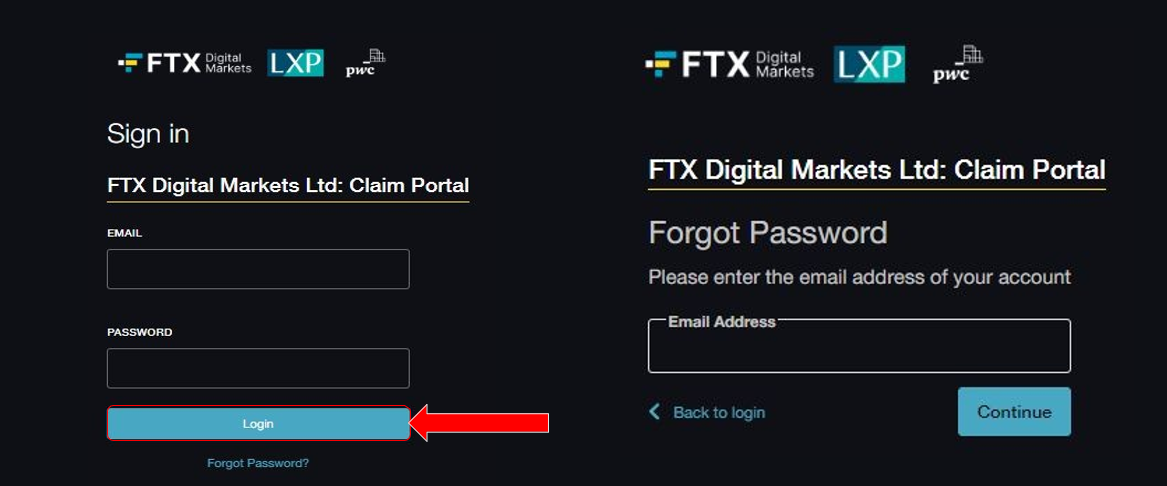
Once the FTX Digital claims portal account is set up, you can log in anytime using your username and password (as shown above), but at this point, you will need to receive another email containing a "one-time PIN." In fact, every time you log into the claims site, you will need to obtain a "one-time PIN" via email to ensure account security.
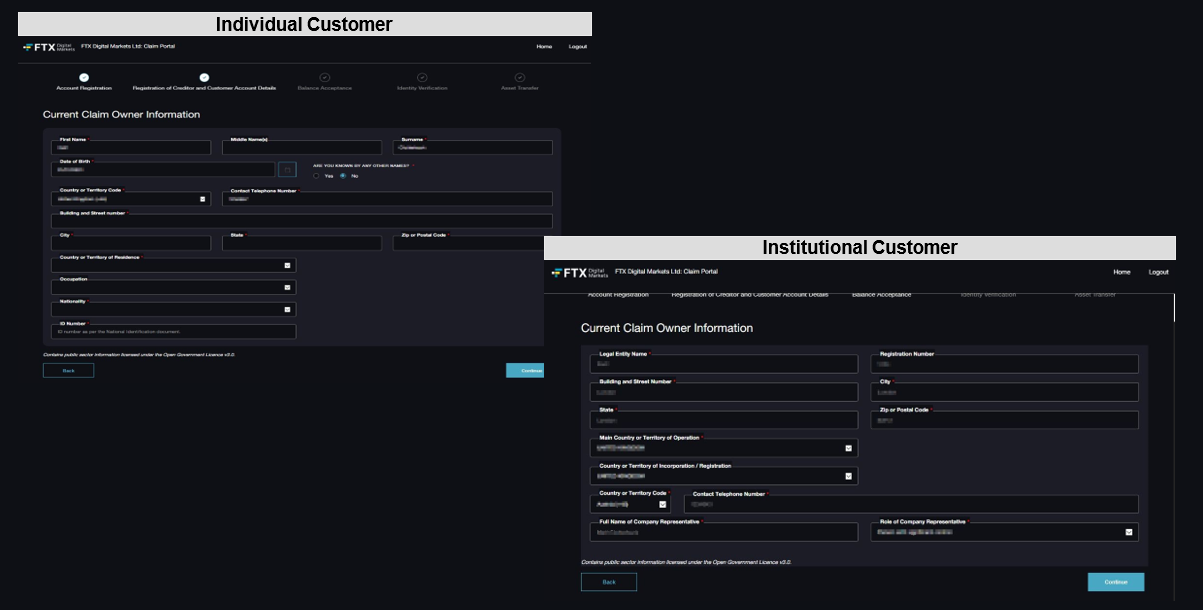
After logging in, you will enter the "Creditor and Customer Account Details Registration" section and provide the following details:
Step 1: "Current Claimant Information" -- Fill in all required fields (name, date of birth, phone number, address, country of residence, occupation, nationality, identification number). Note: Acceptable/suggested identification numbers include passport, national ID, and/or driver's license numbers, depending on the jurisdiction.
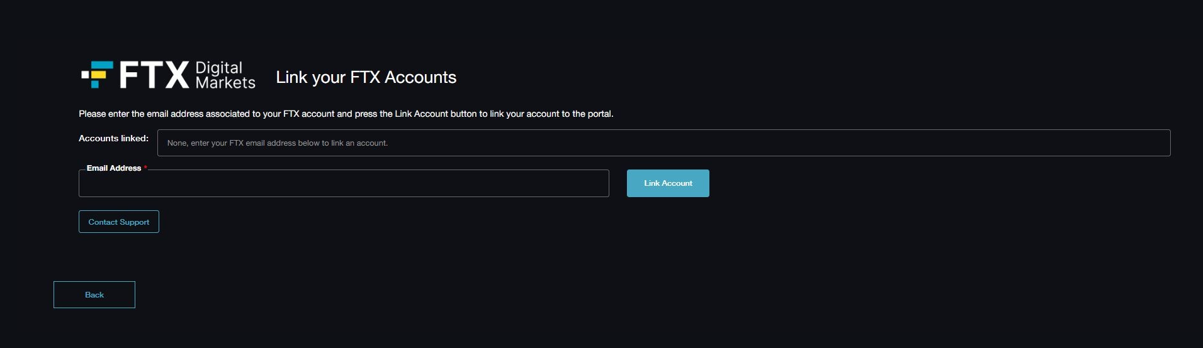
Step 2: Link FTX account, enter the email address associated with the FTX account. This will link the FTX account to an FTX Digital claims portal account, and after entering the email address, a verification code will be sent to your linked email address to verify your ownership of these accounts.
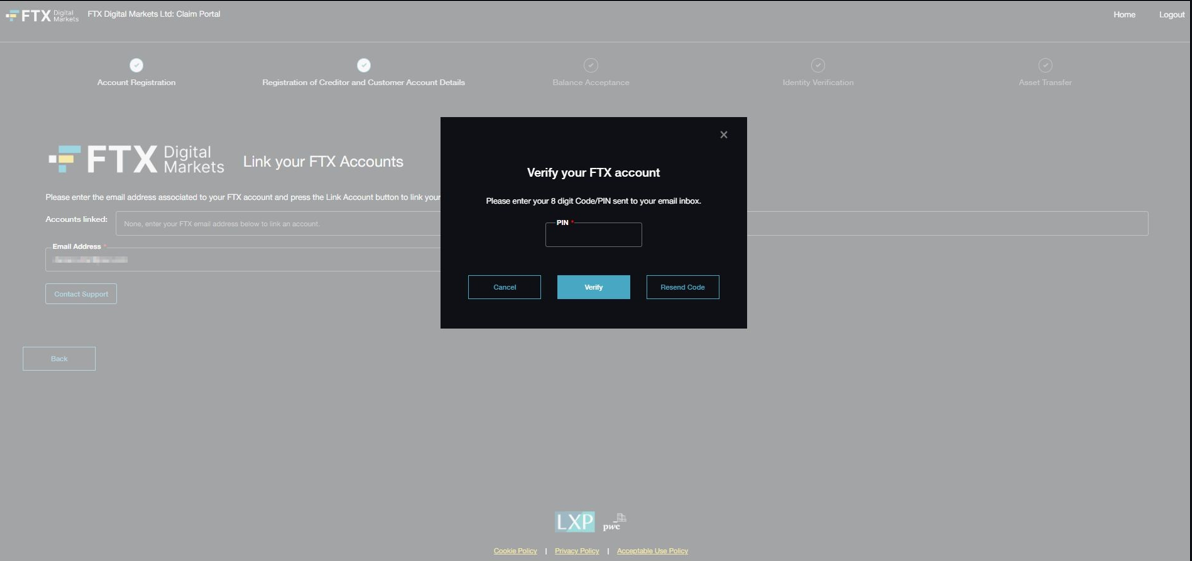
After successfully linking the FTX account, you will be able to view balance information for review.
3. Balance Acceptance -- Accept or Dispute the Listed Balance
After completing the FTX account linking, you will be guided to the balance page, which details the portfolio information and relevant account balance data, as shown below:
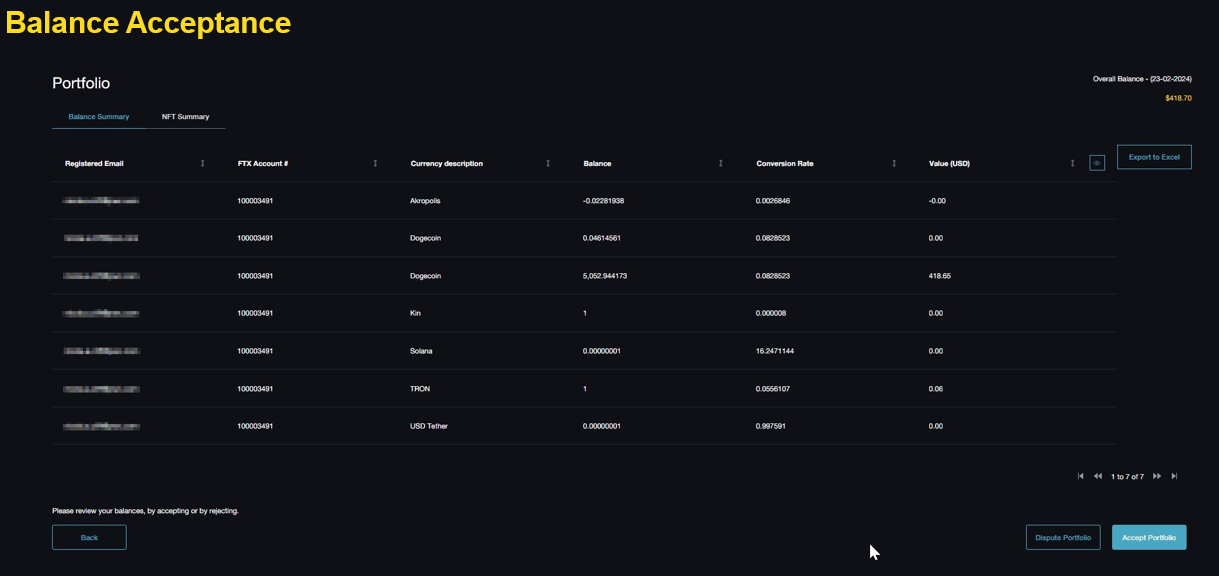
At this point, you can choose to accept or dispute the balance figure in the lower right corner of the page and proceed to the following page:
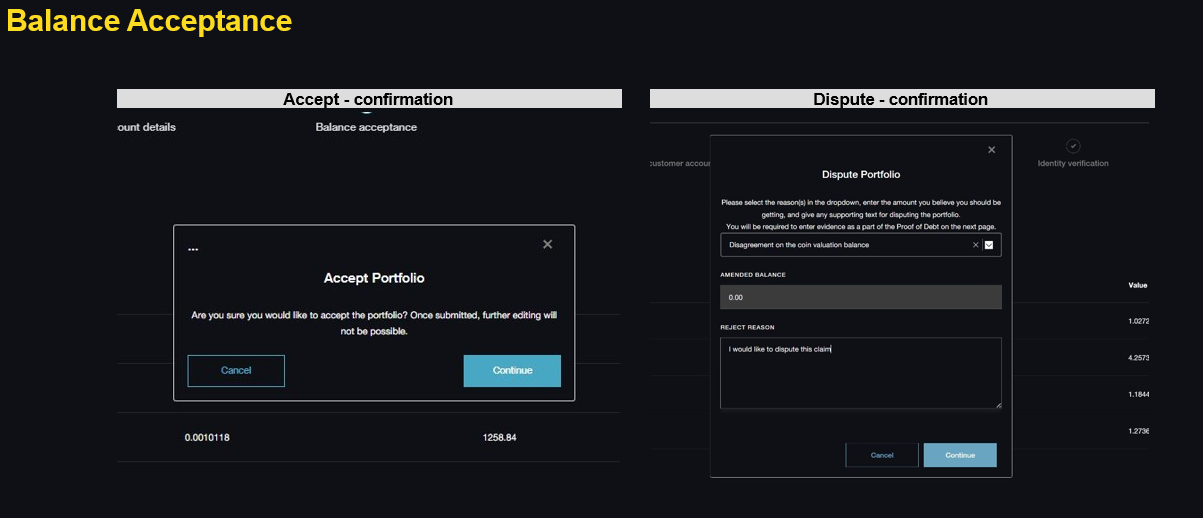
If you dispute the balance (i.e., Dispute Portfolio), you will need to provide more detailed information to substantiate the claim amount------
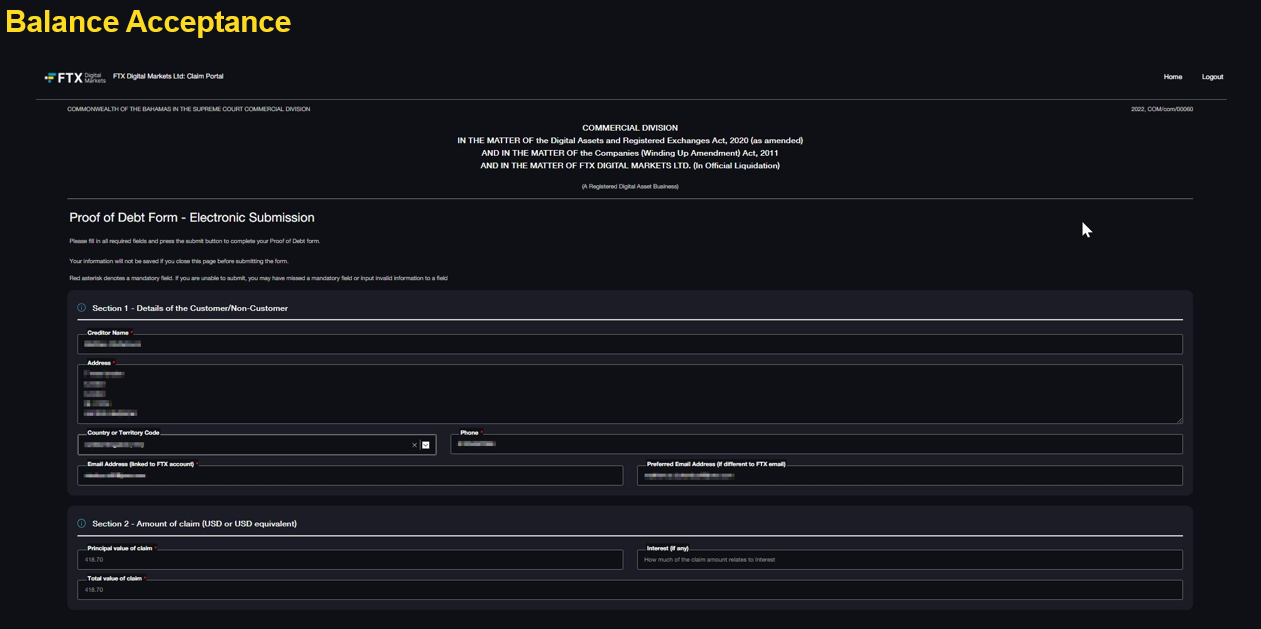
Part 1 (as shown below) - Details of the customer/non-customer, including full name, primary residence address, primary contact number, and email address (the email address associated with the FTX account).
Part 2 - Claim amount (in USD or equivalent), you need to enter details of the claim amount.
Part 3 - Basis for the claim, you must detail the reasons for the claim amount and attach relevant supporting documents to substantiate the claim funds. Uploaded documents support images (e.g., jpeg, png), PDF, Word, or Excel (including CSV) formats, but email uploads (e.g., .msg format files) are not accepted. If it involves email, it must be saved as a PDF file and uploaded.
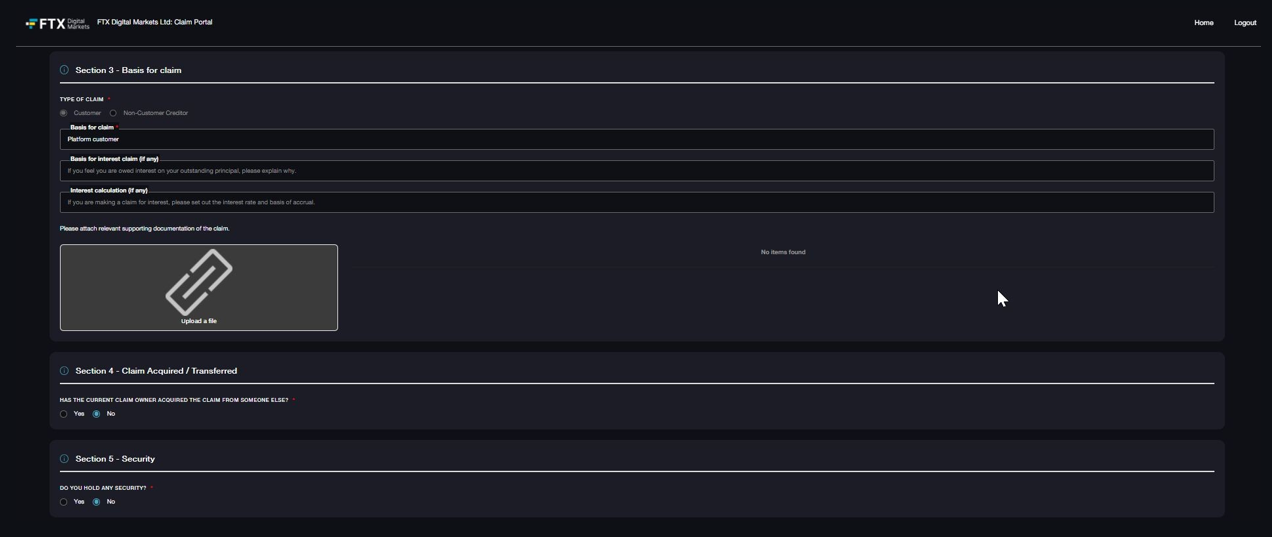
Part 4 - Claims obtained/transferred, if the FTX assets were purchased from another party, relevant information must be specified.
Part 5 - Collateral, if you hold any collateral related to the claim (i.e., mortgage, lien, or other security).
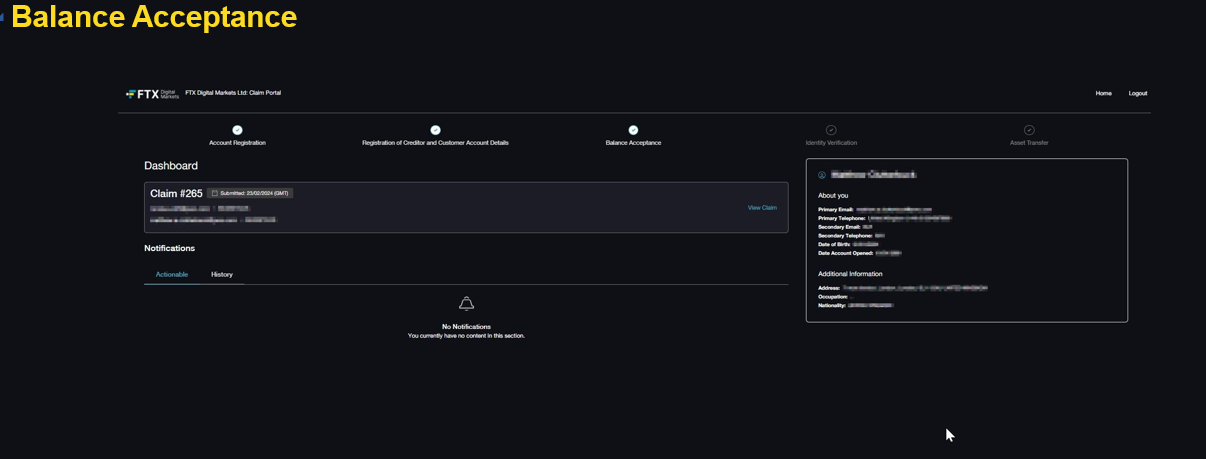
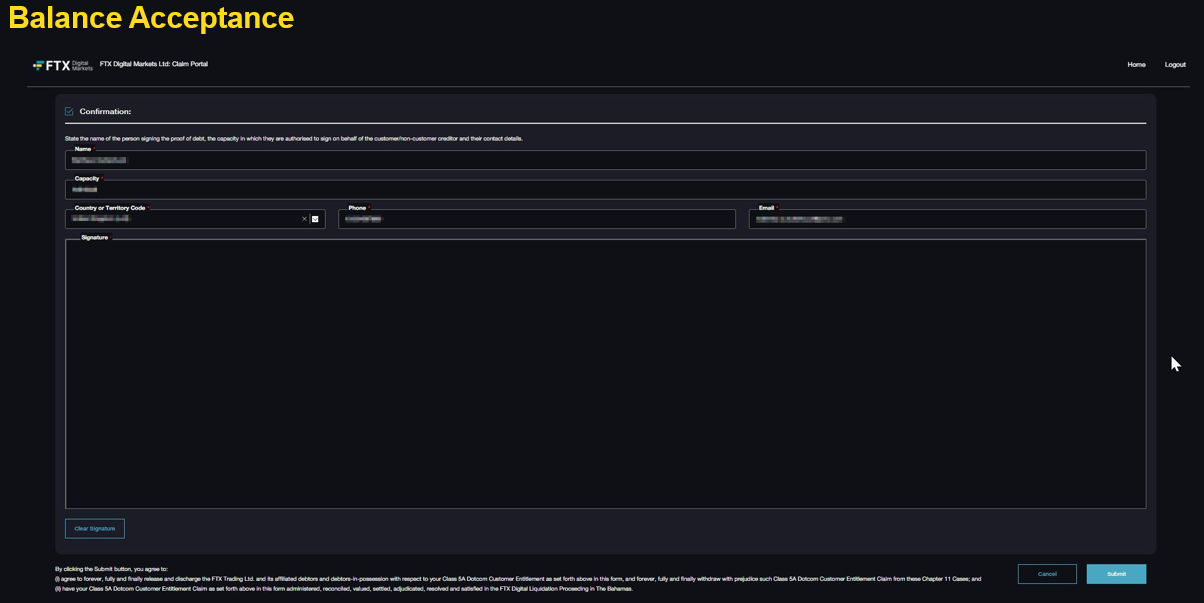
After completing the above steps, or if users directly confirm acceptance of the claim amount, they will enter the dashboard page, which will confirm the claim amount and request to select submit information. Once you enter your name, identity, contact information, and sign, and choose to submit, the claim information cannot be modified.
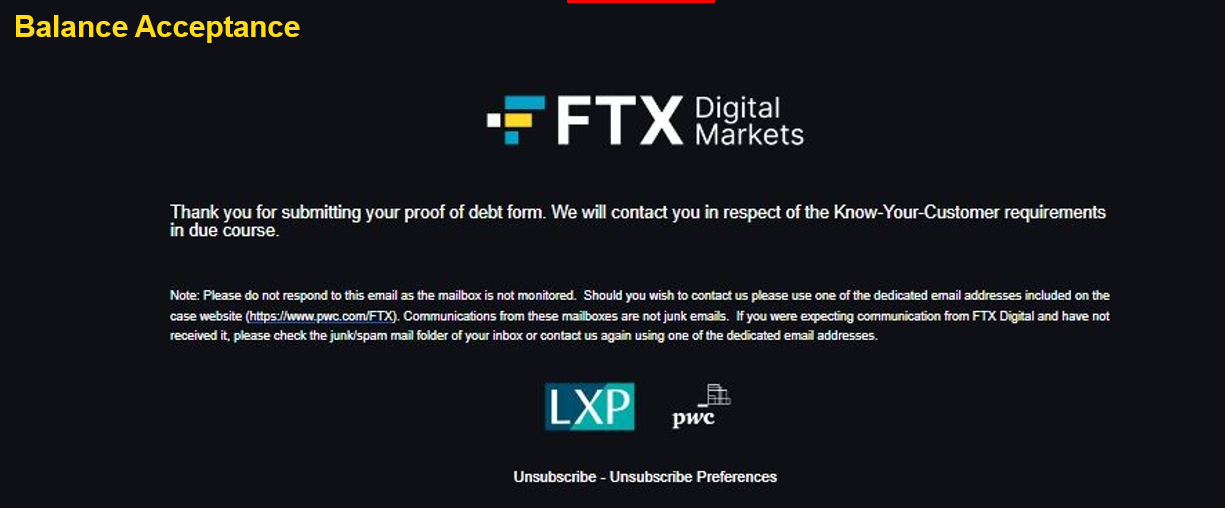
4. Identity Verification
The joint official liquidators will implement Anti-Money Laundering ("AML") and Know Your Customer ("KYC") procedures to confirm creditors' legitimate rights to their accounts and help prevent fraudulent activities.
As part of the KYC process, customers and non-customer creditors need to submit identity information and supporting documents for review. These procedures help confirm the identity and accounts of creditors and enhance the security of the FTX Digital claims process. Completing the KYC process is not the only factor determining whether claims can be paid, as there may be external restrictions on the distribution of funds in certain jurisdictions.
Since this step is operated by the FTX joint official liquidators in the "background," claimants do not need to take any action, and they will be notified via email once identity verification is completed.
5. Claim Asset Liquidation Transfer
After completing the above process, the claims of FTX Digital will enter the formal adjudication process, and creditors will receive the adjudication results, with the first interim dividend distribution expected to be paid by the end of 2024 or early 2025.
 Risk warning
 Risk warning